220-1201
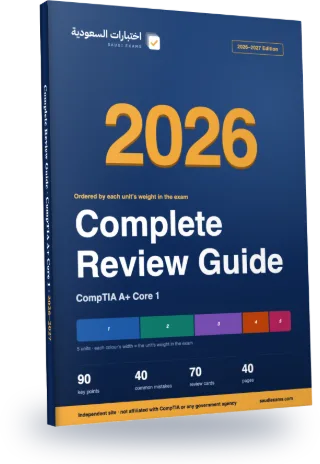
CompTIA A+ Core 1 Complete Review Guide 2026–2027
Every exam topic in a 40-page Arabic PDF, ordered from the heaviest unit to the lightest. The first three chapters alone cover about 76% of the exam questions.
- 40Pages
- 90Key points
- 40Common mistakes
- 70Flashcards
Guide map
Each chapter is one exam unit, ordered by its weight in the real exam.
| Chapter | Unit | Weight | Exam questions | Key points |
|---|---|---|---|---|
| 1 | Hardware and Network Troubleshooting | 28% | 25 | 18 |
| 2 | Hardware | 25% | 22 | 18 |
| 3 | Networking | 23% | 21 | 18 |
| 4 | Mobile Devices | 13% | 12 | 18 |
| 5 | Virtualization and Cloud Computing | 11% | 10 | 18 |
Chapter 1 in full: Hardware and Network Troubleshooting
28% of the exam, about 25 questions. These are its key points, as in the guide.
- A beep code is a tone or series of tones with pauses during POST. The service manual gives the meaning per vendor, and one example is 3 short beeps and 1 long beep for a DRAM memory error: reseat the memory modules, then replace them.
- If the computer shows 'incorrect memory size during POST', the documented order of action is to run the memory tests, then replace the memory module, then the system board.
- After a BIOS update, a battery disconnect or replacement (including the CMOS battery) or a memory swap, the first boot runs a complete memory training. The screen may stay blank for about 5 to 10 minutes. Keep the device on power and avoid a forced shutdown.
The rest of chapter 1, on this page
- A failed BIOS update, such as one interrupted by a forced shutdown, can leave the system unable to boot into Windows. The BIOS update must be finished using the vendor's recovery process, so keep the device on power during updates.
- An RTC reset returns BIOS settings to defaults and resets the system date and time. Service Tag, Asset Tag and admin or system passwords are listed as unaffected by it in one manufacturer's manual.
- When a stop (blue screen) error appears, general steps from the vendor guidance are to update drivers, BIOS and firmware, run hardware and memory tests, scan for malware and keep 10 to 15 percent of the disk free.
- A Windows boot problem is troubleshooted with recovery methods one at a time, starting with Safe mode, and the error INACCESSIBLE_BOOT_DEVICE (STOP 0x7B) is listed as a boot-device error.
- RAID 0 uses data striping on two or more drives for throughput with no redundancy. RAID 1 mirrors data on pairs of drives. RAID 5 uses striping with distributed parity across three or more drives. RAID 10 combines RAID 1 and RAID 0.
- Fault tolerance means the data on the virtual drive stays complete even after a drive fails. A hot spare is a drive kept by the controller and used only when another drive fails, and it rebuilds the array. A hot swap works only if the backplane and enclosure support it.
- A SMART predictive failure alert means the drive should be replaced. A RAID controller can use a SMART error to start a Replace operation to a hot spare before the drive is marked as failed, which avoids a Degraded status.
- chkdsk checks a volume for logical and physical errors. With no parameters it only displays status. /f fixes errors, and /r locates bad sectors and recovers readable data and includes /f. It needs an administrator command prompt.
- For a 'no signal' display symptom, the checks are the cable connection, the input source, trying alternate ports and updating drivers. For poor image quality, check cable quality, resolution settings, cable length and interference.
- To tell hardware from software on a laptop screen, enter the BIOS setup. If the display is still faulty there, the screen hardware may be defective. If it looks normal in the BIOS, check the graphics driver and settings.
- Li-ion battery precautions from a laptop manual: discharge the battery before removal, and do not crush, drop, bend, puncture, apply pressure to, heat or disassemble it, and do not pry on it with tools.
- After a display is replaced on a touch device, a touch calibration tool is run. If calibration fails, reboot and try again, and persistent failure may mean the display is faulty.
- A 'no IP address' network problem can be checked in the adapter properties. A static setup needs a unique IP address in the network's range, a subnet mask, a default gateway and DNS servers.
- Cat 5e is rated 100 MHz, Cat 6 250 MHz and Cat 6A 500 MHz. Cat 6A supports 10GBASE-T to 100 m, while Do not assume Cat 6 does the same.
- Laser quality faults: white streaks can come from dirty LED heads or foreign material, colored streaks from corona wires or the toner cartridge, ghosting can be linked to low humidity or the drum unit, and light prints can come from low toner or the wrong paper type setting. Inkjet banding is handled by a nozzle check, head cleaning and head alignment.
Common mistakes in this chapter
- Do not assume a dead PC needs a new power supply. Check the power cord, the power switch and the board's power connectors first.
- A hardware error code or beep pattern means different things on different brands. Look it up for the stated vendor instead of using one universal table.
- RAID 0 is not fault tolerant. It has no redundancy, so a single failed drive loses the array.
- A RAID 5 array needs at least three drives. Two-drive arrays are RAID 0 or RAID 1.
- A hot spare must be part of the array before a drive fails. It is not added after the failure.
- chkdsk without parameters only reports the volume status and fixes nothing. The /f and /r switches fix errors, and /r adds a bad-sector scan on top of /f.
- Cat 6A is the category documented for 10GBASE-T to 100 m. Do not assume Cat 6 or Cat 5e reaches 10 Gbps over the same distance.
- Do not treat inkjet and laser fixes as interchangeable. A nozzle check and head cleaning belong to inkjets, while drums and toner cartridges belong to laser printers.
The other chapters are in the full guide
One purchase · lifetime access · review guide included
7-day review plan
The chapters are spread over 6 days by weight so each day carries a similar load. Day 7 is a full exam.
Day 1 · 28% of the exam
Chapter 1: Hardware and Network Troubleshooting
Day 2 · 25% of the exam
Chapter 2: Hardware
Day 3 · 23% of the exam
Chapter 3: Networking
Day 4 · 13% of the exam
Chapter 4: Mobile Devices
Day 5 · 11% of the exam
Chapter 5: Virtualization and Cloud Computing
Day 6
Full mock exam: 90 questions in 90 minutes, then review the common mistakes in the units where you lost marks.
Before you read: see your score today
10 free questions from the main units, no sign-up. Then you know which chapter to start with.
Try 10 free questions and see your levelA look at each chapter
The first three key points of each chapter, as they appear in the guide (in Arabic in the PDF).
Chapter 1: Hardware and Network Troubleshooting
- A beep code is a tone or series of tones with pauses during POST…
- If the computer shows 'incorrect memory size during POST', the documented order of action…
- After a BIOS update, a battery disconnect or replacement (including the CMOS battery) or…
Chapter 2: Hardware
- Cat 5e is rated to 100 MHz and Cat 6 to 250 MHz. Cat…
- T568A and T568B are both straight-through wiring schemes. They differ only in the positions…
- HDMI 1.4 supports 4K at 30 Hz, HDMI 2.0 supports 4K at 60 Hz…
Chapter 3: Networking
- 2.1
- 2.1
- 2.1
Chapter 4: Mobile Devices
- Before working inside a laptop
- Pull a cable by its connector or pull-tab, not the cable. Press in the…
- Use only the battery designed for that specific computer model; batteries from other models…
Chapter 5: Virtualization and Cloud Computing
- A virtual machine is a software emulation of a physical computer. It runs as…
- A hypervisor, also called a virtual machine monitor (VMM), logically separates VMs, so a…
- Virtualization improves resource use, because one physical server can run several workloads instead of…
The full guide comes with lifetime access
The full guide (40 pages) is included with lifetime access to this exam, together with every question and full mock exam. Chapter 1 is free for everyone.
Questions about the guide
Is the guide free?
Chapter 1 is free to read on the guide page. The full guide comes with lifetime access to this exam; 7-day access does not include it.
Is it up to date for 2026–2027?
Yes. Unit weights and exam facts follow what the exam body last published, and the last check date is printed in the guide. If the standards change we update the file and buyers download the new version.
Does the guide have questions?
No. The guide covers key points and common mistakes; scoring, weak-area practice and full mock exams are on the site.
Can I read it on my phone?
Yes. A5 pages in a single column, with chapters linked from the contents.
- Pages
- 40
- Edition
- 1448 AH · 2026–2027
- Language
- Arabic
- Last updated
Full prep for this exam
All of this in one purchase.
- Timed supplemental practice sessions90 questions in 90 minutes. You get a total score and a score for every unit.
- Practice unit by unit572 questions, every option explained with its source. Starts with your weakest units.
- Complete Review Guide 2026–2027 (PDF)Ordered by each unit's weight in the exam. With lifetime access only.
Choose your access
Continue with your Google account and you go straight to the payment page.