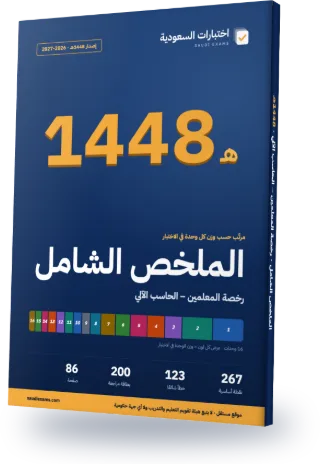
Teacher License – Computer Complete Review Guide 2026–2027
Every exam topic in a 86-page Arabic PDF, ordered from the heaviest unit to the lightest. The first three chapters alone cover about 36% of the exam questions.
- 86Pages
- 267Key points
- 123Common mistakes
- 200Flashcards
Guide map
Each chapter is one exam unit, ordered by its weight in the real exam.
| Chapter | Unit | Weight | Exam questions | Key points |
|---|---|---|---|---|
| 1 | Core programming concepts and digital control | 14% | 12 | 18 |
| 2 | Key computer and internet applications | 14% | 12 | 18 |
| 3 | Computer networks, their components and design | 8% | 7 | 18 |
| 4 | Database systems and their use | 8% | 7 | 18 |
| 5 | Operating systems | 8% | 7 | 18 |
| 6 | Digital tools and their applications in education | 7% | 6 | 16 |
| 7 | Strategies and methods for teaching computing, in theory and practice | 7% | 6 | 17 |
| 8 | Cybersecurity | 5% | 4 | 17 |
| 9 | Core mathematical knowledge and skills for computer science | 4% | 4 | 17 |
| 10 | Ethics of using digital technology | 4% | 4 | 16 |
| 11 | The general-education computing curriculum and related national rules and standards | 4% | 4 | 17 |
| 12 | Using programming and algorithms to build students' higher-order thinking | 4% | 3 | 16 |
| 13 | Training students to analyse and classify data with computer applications | 4% | 3 | 14 |
| 14 | Logic design | 3% | 3 | 16 |
| 15 | Computer architecture | 3% | 3 | 16 |
| 16 | Following current research on teaching computing and professional development | 3% | 3 | 15 |
Chapter 1 in full: Core programming concepts and digital control
14% of the exam, about 12 questions. These are its key points, as in the guide.
- Python is interpreted, general-purpose and easy to learn; it is used in teaching, data analysis and AI (6.10.5.1).
- C and C++ compile to machine code and are used for systems software and speed-critical programs; Java compiles to bytecode that runs on the Java Virtual Machine (JVM).
- JavaScript is the language of interactive web pages and runs in the browser; HTML is a markup language, not a programming language; SQL is a query language for databases.
The rest of chapter 1, on this page
- A compiler translates the whole program before running it and reports syntax errors together; an interpreter executes line by line and stops at the first error.
- Procedural programming splits a program into procedures (functions) run in sequence; object-oriented programming bundles data (attributes) and behavior (methods) into objects created from classes (6.10.5.2).
- OOP pillars: encapsulation (hiding data inside the class), inheritance (a subclass inherits from a parent class), polymorphism (one name, different behavior), abstraction (showing only what is essential).
- A class is a blueprint and an object is an instance of it. The constructor runs when the object is created: it is named __init__ in Python and has the class name in Java and C++.
- In Python indentation defines blocks; in Java and C++ braces { } do, and most statements end with a semicolon.
- Arrays and lists are indexed from 0 and reading an element by index is fast (O(1)). For a = [4, 7, 9], a[0] is 4, a[2] is 9 and len(a) is 3.
- A stack is LIFO with push, pop and peek, and is used for undo, function calls and expression evaluation. A queue is FIFO with enqueue and dequeue, and is used for print queues and task scheduling (6.10.5.3).
- A tree has one root, each node except the root has one parent, and a node with no children is a leaf. In a binary tree each node has at most two children. In a binary search tree the left child is smaller than the parent and the right child is larger.
- Binary tree traversals: preorder (root, left, right), inorder (left, root, right), postorder (left, right, root). An inorder traversal of a binary search tree gives the values in ascending order.
- Linear search checks elements one by one (O(n)) and needs no ordering; binary search halves a sorted range at each step (O(log n)). Bubble sort compares neighbours and swaps them (O(n²)).
- Mobile apps are native (Kotlin or Java for Android, Swift for iOS) or cross-platform (such as Flutter and React Native). MIT App Inventor is a block-based tool suited to beginners. An app has screens, components, events (such as a button press) and code that handles each event, and is tested on an emulator or a real device (6.10.5.4).
- AI makes machines perform tasks that need human intelligence. Machine learning learns patterns from data instead of hand-written rules, and deep learning uses multi-layer neural networks. Applications include speech recognition, computer vision, natural language processing and recommendation systems (6.10.5.5).
- Types of machine learning: supervised learns from labeled data (classification, prediction), unsupervised finds patterns in unlabeled data (such as clustering), and reinforcement learns from rewards and penalties through trial.
- A robot has sensors (camera, distance, touch), a controller or processor, and actuators (motors). It works in a loop: read the sensor, decide in the program, then act. Types include industrial arms, mobile robots, humanoids and drones (6.10.5.6).
- Microcontrollers such as Arduino and micro:bit are used for digital control: they read inputs from digital or analog pins and drive outputs such as an LED or a motor. A digital pin has only two values: 0 and 1.
Common mistakes in this chapter
- Mixing up = (assignment) and == (comparison): if x = 5 is an error in Python and Java; the correct test is if x == 5.
- Integer division: 7/2 is 3 in Java and C++ when both operands are int, but 3.5 in Python 3. In Python 7//2 is 3 and 7%2 is 1.
- The end of range in Python is excluded: range(1, 5) gives 1, 2, 3, 4 only, and range(5) runs from 0 to 4.
- Confusing stack and queue: the last item pushed on a stack is the first out; in a queue the first item in is the first out.
- Overloading is the same method name with different parameters in one class; overriding is a subclass redefining a parent method with the same signature.
- Using binary search on unsorted data: it only works correctly once the data is sorted.
- AI is broader than machine learning, and machine learning is broader than deep learning. An option that reverses this nesting is wrong.
- A sensor brings data from the environment into the robot; an actuator (such as a motor) carries out the movement. Do not swap them.
The other chapters are in the full guide
One purchase · lifetime access · review guide included
7-day review plan
The chapters are spread over 6 days by weight so each day carries a similar load. Day 7 is a full exam.
Day 1 · 17% of the exam
Chapter 1: Core programming concepts and digital control
Chapter 14: Logic designDay 2 · 17% of the exam
Chapter 2: Key computer and internet applications
Chapter 15: Computer architectureDay 3 · 17% of the exam
Chapter 3: Computer networks, their components and design
Chapter 8: Cybersecurity
Chapter 13: Training students to analyse and classify data with computer applicationsDay 4 · 16% of the exam
Chapter 4: Database systems and their use
Chapter 9: Core mathematical knowledge and skills for computer science
Chapter 11: The general-education computing curriculum and related national rules and standardsDay 5 · 16% of the exam
Chapter 5: Operating systems
Chapter 10: Ethics of using digital technology
Chapter 12: Using programming and algorithms to build students' higher-order thinkingDay 6 · 17% of the exam
Chapter 6: Digital tools and their applications in education
Chapter 7: Strategies and methods for teaching computing, in theory and practice
Chapter 16: Following current research on teaching computing and professional developmentDay 7
Full mock exam: 88 questions in 120 minutes, then review the common mistakes in the units where you lost marks.
How many correct answers do you need?
- Practitioner level 50%44 correct out of 88
- Advanced level 70%62 correct out of 88
- Expert level 80%71 correct out of 88
Before you read: see your score today
10 free questions from the main units, no sign-up. Then you know which chapter to start with.
Try 10 free questions and see your levelA look at each chapter
The first three key points of each chapter, as they appear in the guide (in Arabic in the PDF).
Chapter 1: Core programming concepts and digital control
- Python is interpreted, general-purpose and easy to learn; it is used in teaching, data…
- C and C++ compile to machine code and are used for systems software and…
- JavaScript is the language of interactive web pages and runs in the browser; HTML…
Chapter 2: Key computer and internet applications
- Every spreadsheet formula starts with an equals sign (=) and is made of values…
- Common functions
- A relative reference (A1) changes when copied, an absolute reference ($A$1) stays fixed, and…
Chapter 3: Computer networks, their components and design
- Star topology
- Bus topology
- Ring topology
Chapter 4: Database systems and their use
- A database is an organized collection of related data stored for easy retrieval and…
- A table consists of records (rows) and fields (columns); a record describes one entity…
- Common database types
Chapter 5: Operating systems
- The operating system is software that manages computer resources (CPU, memory, storage, devices) and…
- The kernel is the core of the OS and works directly with the hardware;…
- A process is a program in execution; its common states are new, ready, running…
Chapter 6: Digital tools and their applications in education
- A learning management system (LMS) is software that manages courses, content, assignments, tests and…
- LMS functions include enrolling students, publishing materials, receiving assignments, forums and messages, and performance…
- Madrasati is a Ministry of Education learning management platform that supports lessons, assignments and…
Chapter 7: Strategies and methods for teaching computing, in theory and practice
- Project-based learning
- Problem solving
- Drill and practice
Chapter 8: Cybersecurity
- Cybersecurity is the protection of systems, networks and data from unauthorized access, disruption or…
- The CIA triad
- A denial-of-service (DoS) attack targets availability. When it comes from many devices it is…
Chapter 9: Core mathematical knowledge and skills for computer science
- Binary has base 2 with symbols 0 and 1; octal has base 8 with…
- From any base to decimal
- Decimal to binary
Chapter 10: Ethics of using digital technology
- Digital ethics are the principles and values that govern a person's behaviour when using…
- Positive effects of technology include easy access to information, distance learning, faster work and…
- Negative effects include privacy violations, digital addiction, the spread of fake news, and the…
Chapter 11: The general-education computing curriculum and related national rules and standards
- Standard 6.10.13 has four indicators
- The computing course in primary and intermediate school is Digital Skills, and in secondary…
- Curriculum structure means its overall layout
Chapter 12: Using programming and algorithms to build students' higher-order thinking
- An algorithm is a clear, ordered, finite set of steps that solves a defined…
- Commonly cited elements of computational thinking
- A complex problem is split into simple sub-problems, each solved separately, then the solutions…
Chapter 13: Training students to analyse and classify data with computer applications
- A database is an organised collection of data stored in tables; a row is…
- The primary key is a field whose value is unique for every record and…
- A foreign key is a field in one table that points to the primary…
Chapter 14: Logic design
- Combinational circuit
- Sequential circuit
- Steps to design a combinational circuit
Chapter 15: Computer architecture
- A bit is the smallest unit of data with value 0 or 1; a…
- A computer stores everything in binary because its electronic circuits have two states: current…
- One hexadecimal digit represents 4 bits, so hex is used as shorthand for binary…
Chapter 16: Following current research on teaching computing and professional development
- ISTE
- CSTA
- ACM
The full guide comes with lifetime access
The full guide (86 pages) is included with lifetime access to this exam, together with every question and full mock exam. Chapter 1 is free for everyone.
Questions about the guide
Is the guide free?
Chapter 1 is free to read on the guide page. The full guide comes with lifetime access to this exam; 7-day access does not include it.
Is it up to date for 2026–2027?
Yes. Unit weights and exam facts follow what the exam body last published, and the last check date is printed in the guide. If the standards change we update the file and buyers download the new version.
Does the guide have questions?
No. The guide covers key points and common mistakes; scoring, weak-area practice and full mock exams are on the site.
Can I read it on my phone?
Yes. A5 pages in a single column, with chapters linked from the contents.
- Pages
- 86
- Edition
- 1448 AH · 2026–2027
- Language
- Arabic
- Last updated
All Teacher Exams review guides
Back to Teachers' Professional License – Subject Test: Computer Science
Buy this exam
Pick the access that lasts until your test date.
Included
- Full mock exams: 88 questions in 120 minutes, with a score for every unit
- 511 questions, every option explained with its source
- Practice that starts with your weakest units, plus a review of your mistakes
- Complete Review Guide 2026–2027 (PDF), with lifetime access only
Continue with your Google account and you go straight to the payment page.
You pay on the Waffo Pancake checkout page (in English). The amount is in US dollars and your bank converts it to riyals. One payment with no automatic renewal, by Visa, Mastercard (a mada card with either logo works too), Apple Pay or Google Pay. Your statement shows "WAFFO". Purchases are not refundable.